Background image: Layout:Compositor doesn't match Compositing tab?

Question

Hello, I hope this isn't too basic. Using 5.2 or 5.1.

I have set up Film:Transparent. In the compositing tab, I scale/translate the background image where I want it in the camera, then MIX the render over it using rendered alpha. 

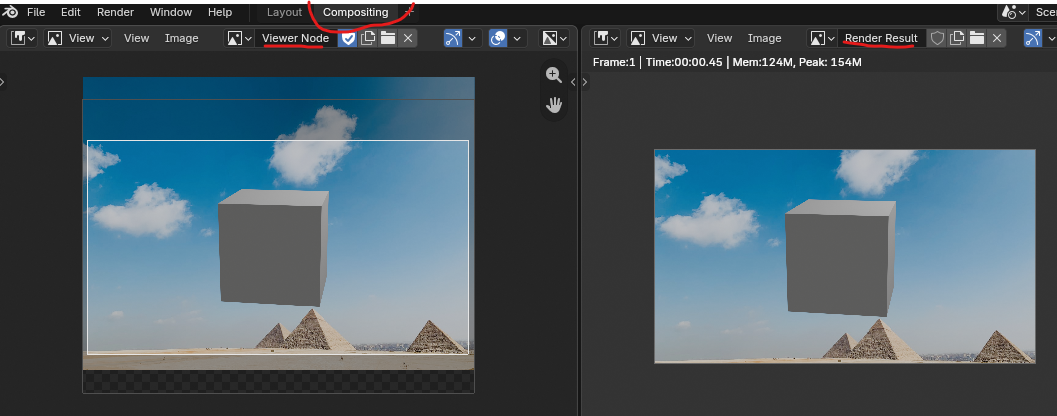
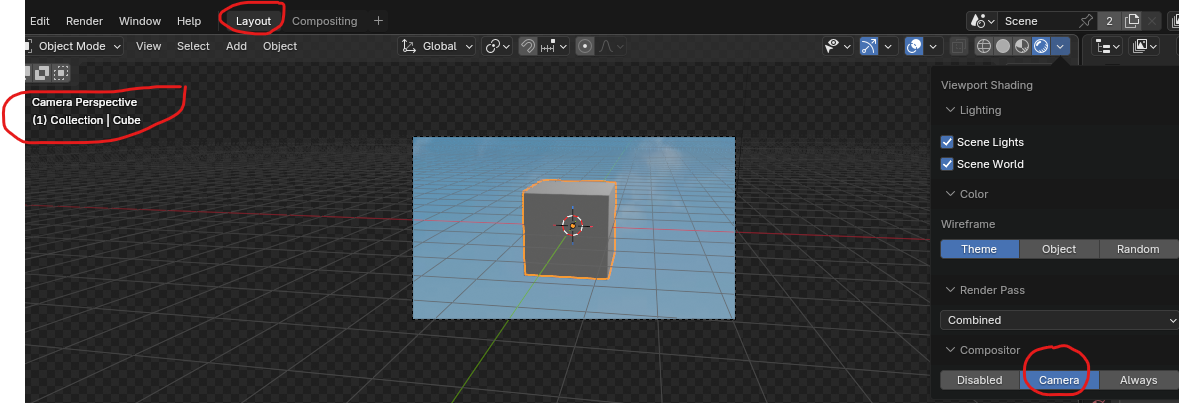
Everything looks fine in the Compositing tab Viewer. When I switch to Layout and enable Compositor:Camera, the background image is translated differently. This isn't what I expected.

A workaround is to set a Background Image on Camera, then manually adjust everything to get (approximately) the same look. But this is awkward and not exact. Another workaround is to physically scale/crop the background image to match the render, but this isn't very desirable.

Is there a trick I am missing? Thanks.


1 love
Reply
  • Wayne Dixon replied

    Hey there Kevin,

    Would you be able to post some images of what you're trying to do?
    I am following along perfectly....up to the part where you say "Hello".
    Then it gets a little hazy for me.


    1 love
  • techworker1 replied

    Hopefully these pix are worth a thousand words.

    1. Compositor nodes:
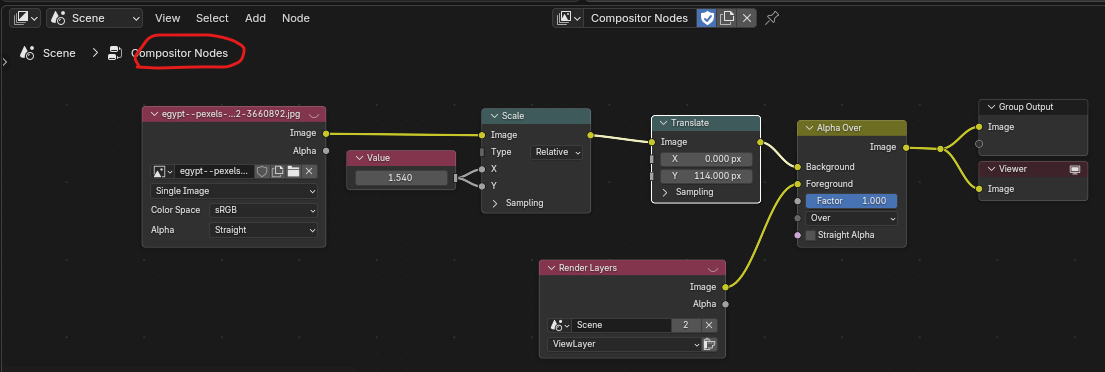
    01-compos-nodes.png

    2. Views in Compositor tab:

    02-compos-views.png

    3. View in Layout (Camera view):

    03-layout-view.png

    1 love
  • Martin Bergwerf replied
    Solution

    Hm,

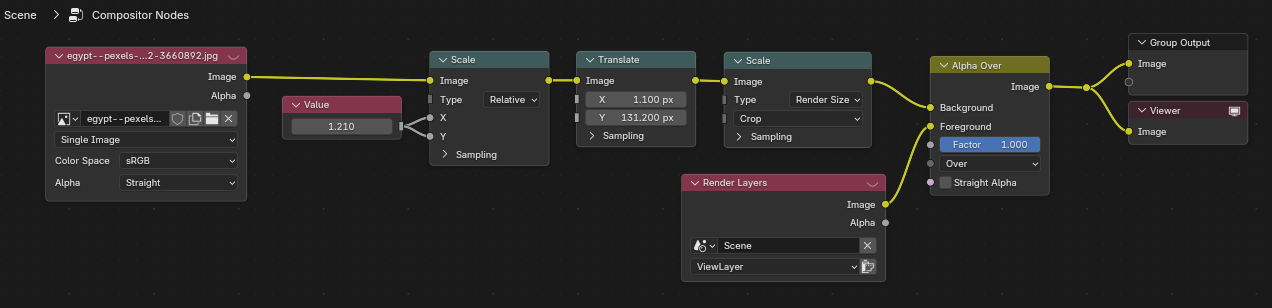
    Try this: Add another Scale Node set  to Render Size after the Scale and Translate (before the Alpha Over), to match Compositor and Viewport. You'd have to adjust the first Scaling, but hey, it's probably the easiest way to do this.

    2 loves
  • techworker1 replied

    This seems to work. Thanks.

    mpos-nodes-fixed.png

    • 👍
    1 love