

Hi Vikrant,
Indeed.
You can remember how much you Insetted, by Insetting an easy to remember amount (for instance I, 0.3).
You can also think ahead and Inset both (or all that need to be the same size) at the same time.
What you can do otherwise, is to install the Addon "Edit Mesh Tools" and then fix both the horizontal and vertical Edge lengths (just not at the same time), for instance:
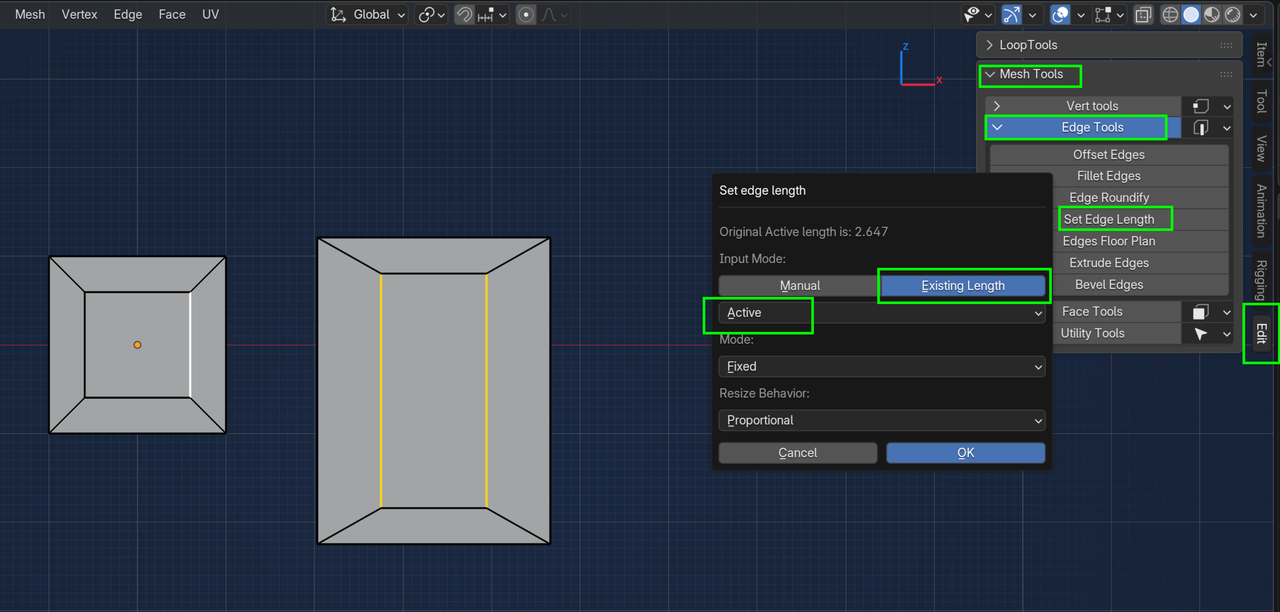

I'd also double check that your scale is consistent. Just like happened to Chris when he was working on his in the video, if it's not 1:1:1, insetting might not look correct or act the way you're expecting. Also, if you're wanting even thickness around what you're trying to do, use inset rather than extruding and scaling. Inset I think does a better job of maintaining an even thickness around a rectangular face.