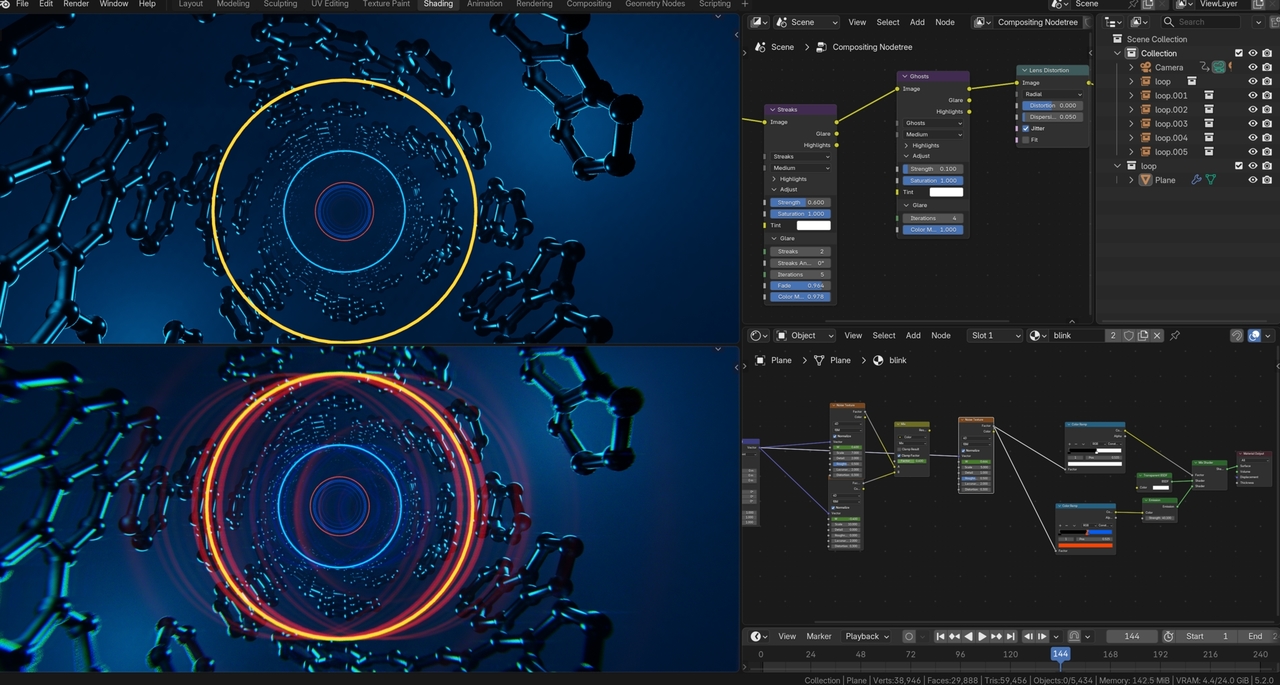
I was able to manage the other tutorials with Blender 5.0 but this one all sorts of things arent working since Evee got changed. Even with cycles things like the streaking and ghosting aren't appearing. I know its hard to explain without screen shots or a video however, are there any tips/tutorials I should be watching to help this tutorial work for Blender 5.0 that would be super helpful!
If there's something specific you're having trouble with working, post screenshots and let us know what you're expecting vs what is happening. As far as tutorials specific to 5.x... I was about to say Paul did one.. but it was 4.5. If you can wait until the day after tomorrow, Core 2.0 based on 5.2 LTS will be coming out. (5.2 LTS is the latest version of Blender just released a couple of weeks ago and is a LTS version, which means it will be getting bug fixes for at least the next couple of years.)
(I said a couple of days... but I believe CORE 2.0 comes out tomorrow :D )
Okay hopefully this video works https://youtu.be/p7MG-dB3d_c
1) There is no bloom or ghosting
2) When I enable compositing on my viewport goes grey (compositing is also enabled on my post processing on my output tab)
3) When i press play half of my metal frame dissapears.
Also Evee just looks like cycles with the amount of grain, I'm just chopping that up to the update but if anyone knows how to change that as well let me know
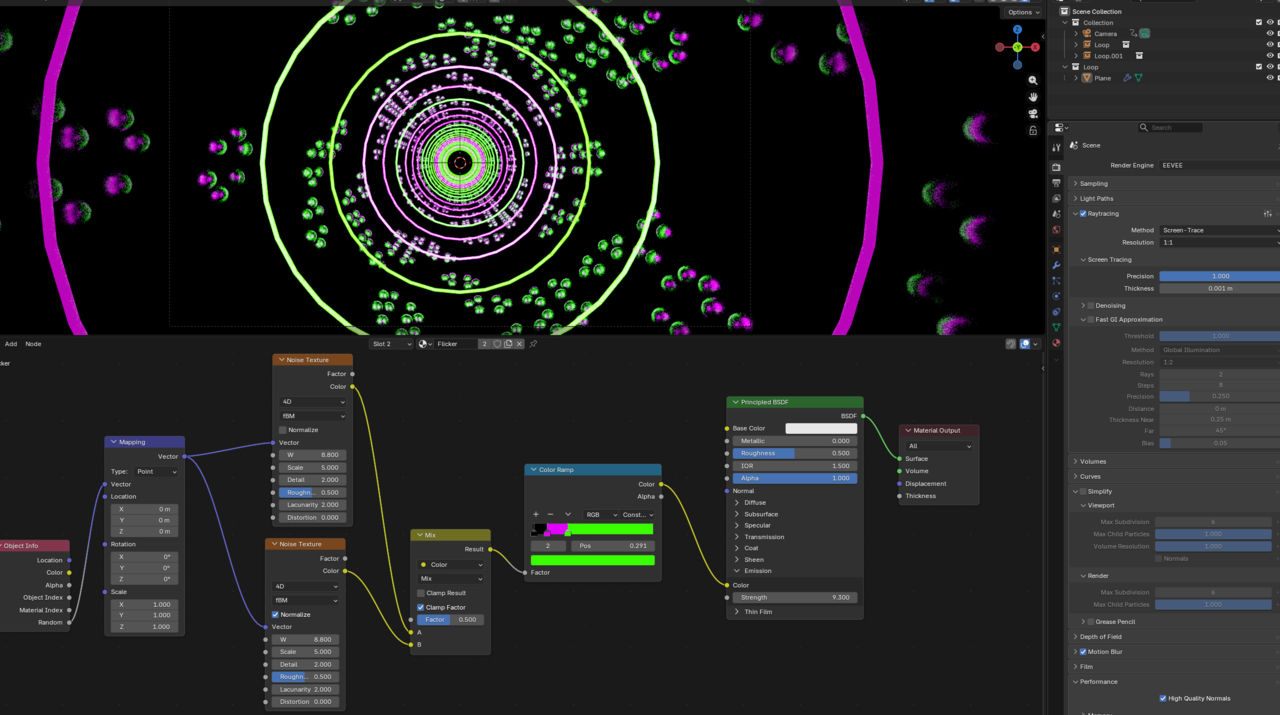
I couldn't clearly see the info in the nodes... seemed really small to me... and I couldn't quite hear what you said in the video. Not quite sure what effect you were going for. but 2 things I noticed. 1st... On the Texturing nodes, you two noise textures being mixed, but the mix isn't plugged into anything. If you want the mix to affect things, you'll want to plug that into the noise texture before the color ramp (I think...).
As for the compositing, I think you have 2 glare nodes, but the 2nd one is at a strength of 0, which I believe means it would have no effect on the composite.
If you go to Window you can save a screenshot. if you zoom in closer to the nodes, we might be able to see the values you have there better.
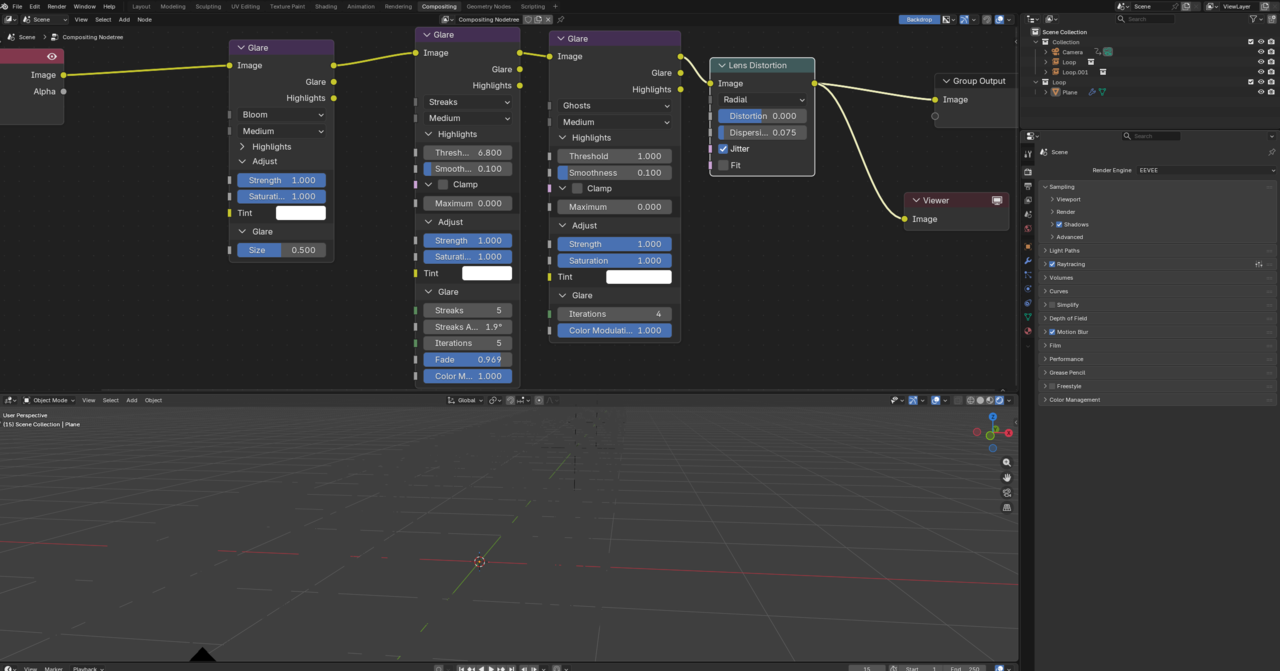
Also, for Eevee, bloom got moved from the Render properties setting into the compositing nodes, so if you want bloom, you'll have to add that node. Also, why do you have another noise node after the mix? The purpose of the mix node is to blend the noise textures so that you can loop the flicker.

Hi Rachel,
The main issue is, that your Viewer Node is connected to the Output of the Render Layers Node, instead of to the Output of the Lens Distortion Node.
So the Viewport doesn't get the effects:
Basically this:
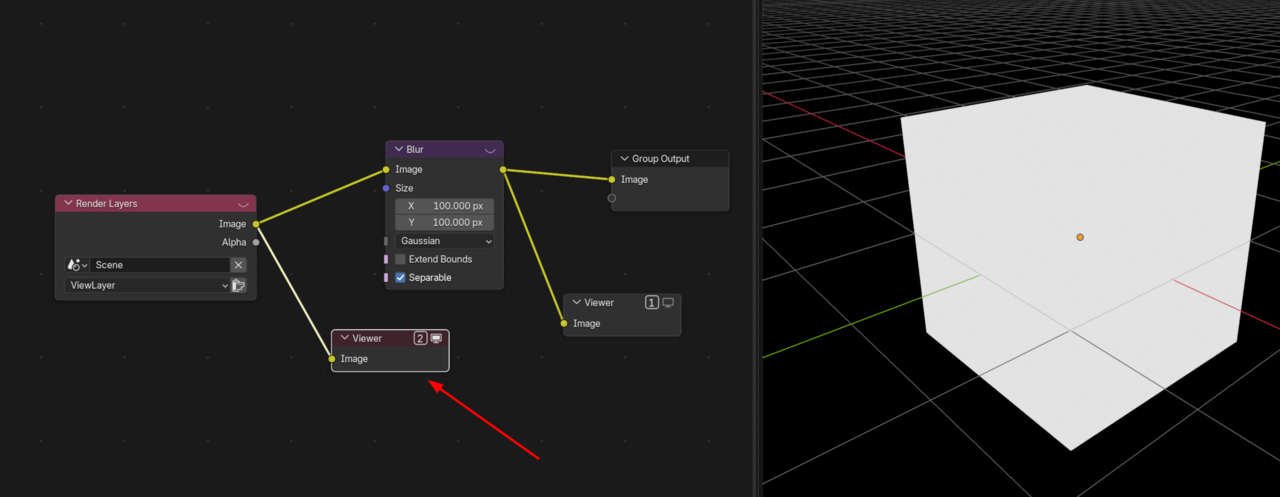
Instead of:
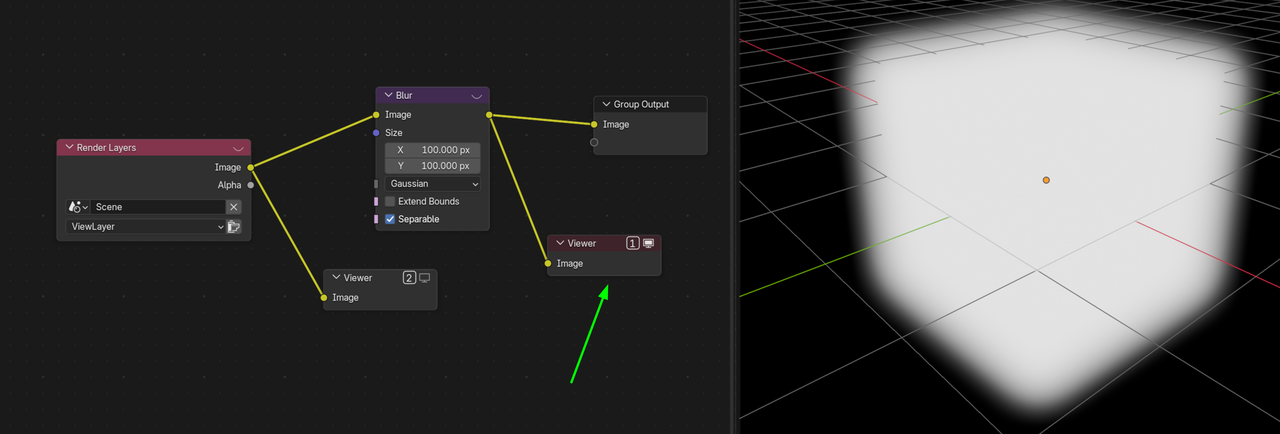
Even professionals sometimes Render an Image or Animation and then find that the Viewer is not connected to the same Node as the Output Node and the Render looks different from the Viewport. You're in good company😉
Ookay here we go: thank you for your help in all this mess!
1) the extra noise node and rando things like that were stuff i adjusted to troubleshoot and forgot to put back hahah so i fixed those things and bloom is still not working and neither is the compositor viewport thing
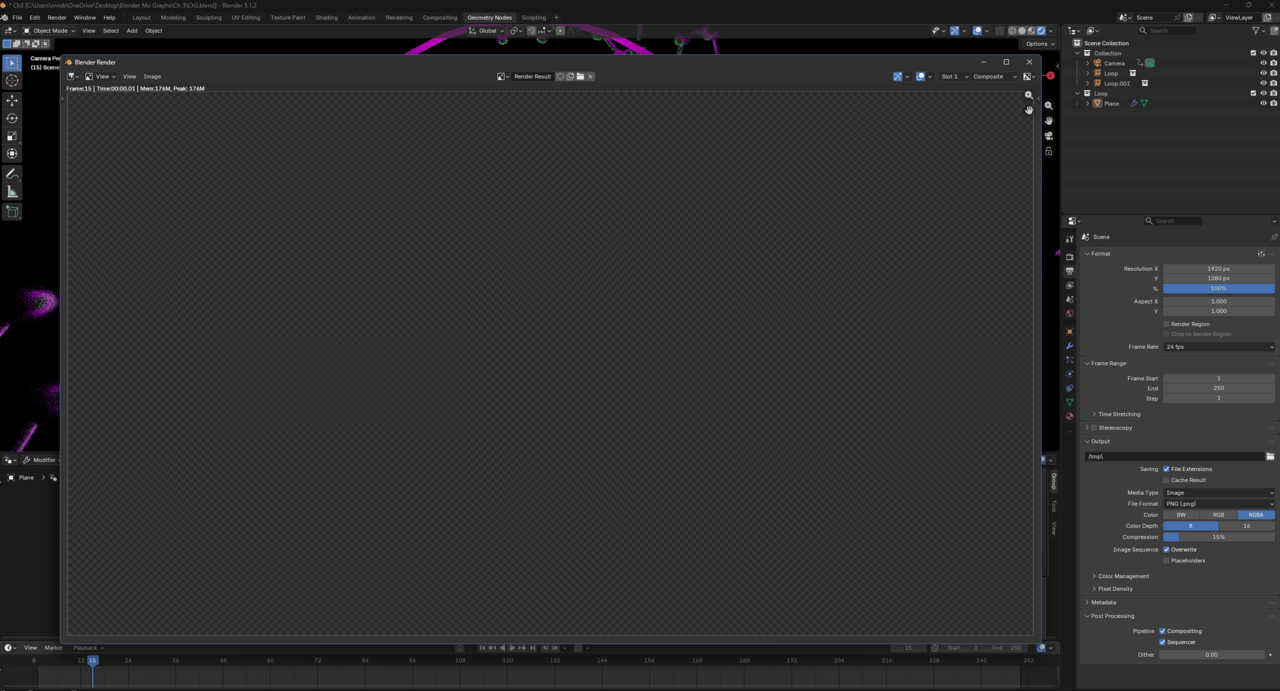
2) idk if this is helpful to know or just raises more questions but also when render an image it renders instantly and then comes out as transparent entirely. Not like world gray, but transparent. Which is so confusing.
3) Just additional things i've checked- I have checked pretty much all of these options in both Evee and Cycles. I've messed around with my samples I've messed around with my ray tracing I've tried these all on CPU and GPU, I have tried Optix and default in my render devices. (I have an NVIDIA GeForce RTX 4070TI and a 12th Gen Intel Core i7- 12700F and idk what but like 32GB of ram, idk if any of that matters) I am just at a loss whenever I try to look up these questions they dont pop up with my problem :/
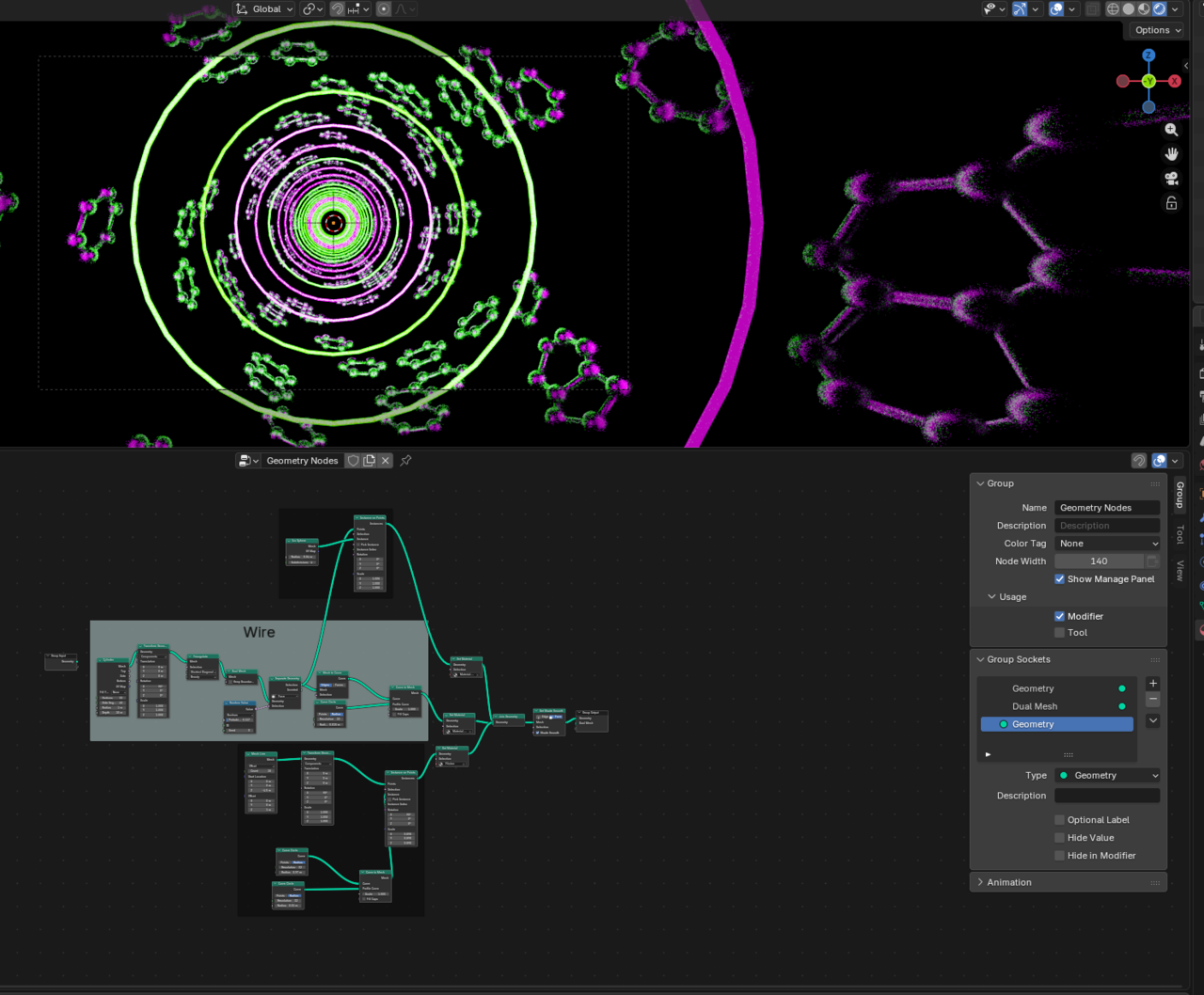
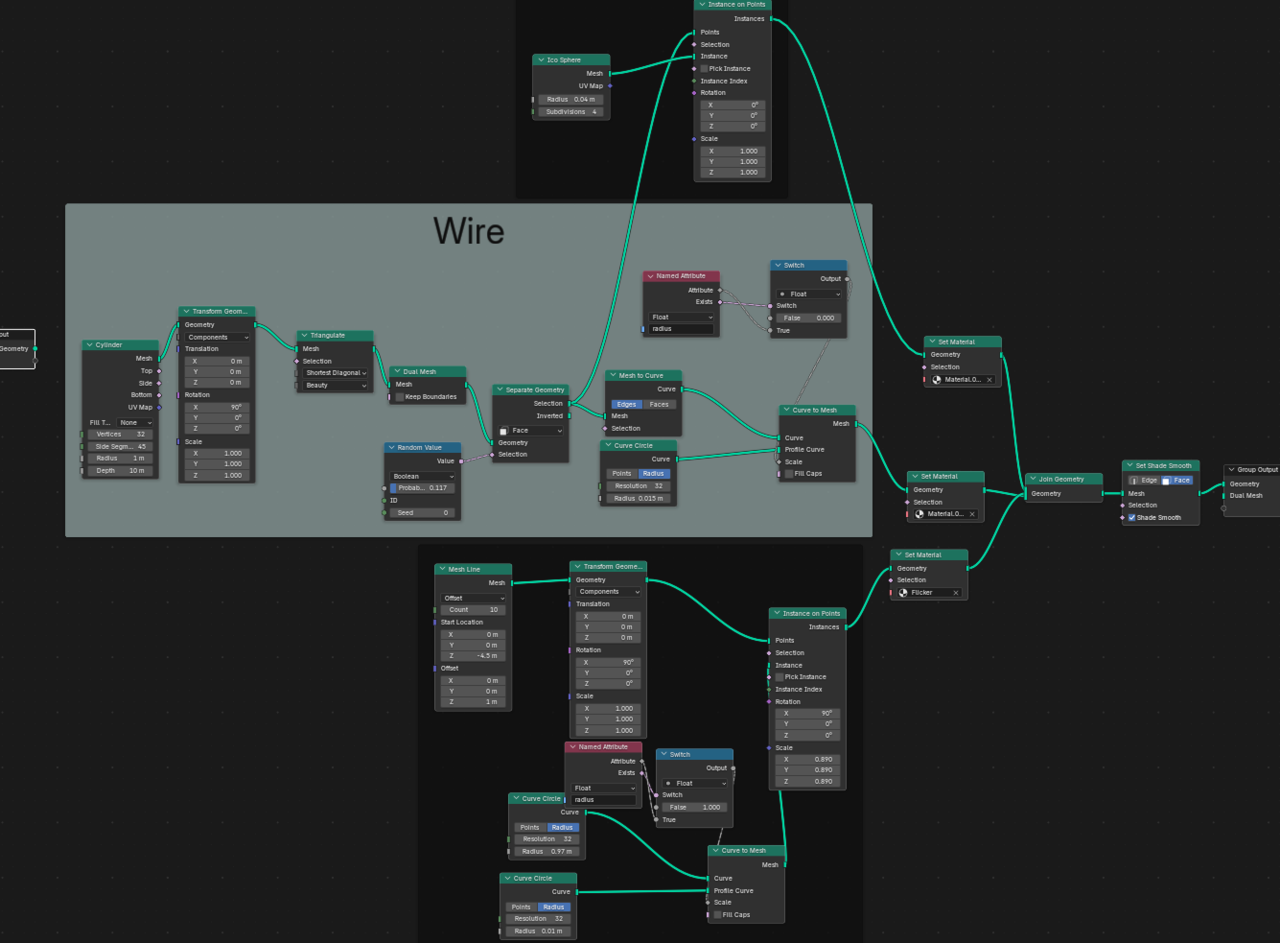
Edit: I added pics in another message OH and in my geometry tab there are 4 nodes labeled "Named attribute" and "switch" IDk where those came from I deleted them and nothing seemed to change
If you guys can't spot the problem I think for my sanity I may just move on and try the lesson from scratch at a later date, I'm sure its some silly check box that I accidentally clicked and am not showing in screenshots lol
Have you set up any world settings? if so, what are those. And where is the radius value coming from? is this something that is an attribute? because I'm not seeing where it is set up in anything in the geonodes.