

Hi Andre,
Could you provide a link to your (don't forget to Pack Resources!) .blend file (via Dropbox. Googledrive, or so)?
These Geometry Nodes setups are very hard to troubleshoot from screenshots, let alone from only text descriptions. (Also, it's been a few years since I did this Course.)
Oh, and please mention the Blender Version you are using. That'll save me some time.
Sure thing: https://drive.google.com/drive/folders/1etEz7y5F2c52yZRUl5Uz6Y5PdIqR4hJ-?usp=sharing
There are two files here: one where it uses the ID value and one where it uses a fixed integer value (named appropriately)
Resources are packed and I'm using v5.2
I did try opening the example provided in the course files in v4.3 as well, and I think it works there, although I'm not seeing the buildings once I get out of the Group and I've not done any troubleshooting there.
As an aside, I'm having a great time with this course, so thank you for that!
Hi Andre,
I'm really glad that you are enjoying this Course, but just to be clear, I am not the creator of this Course. I am just trying to help.
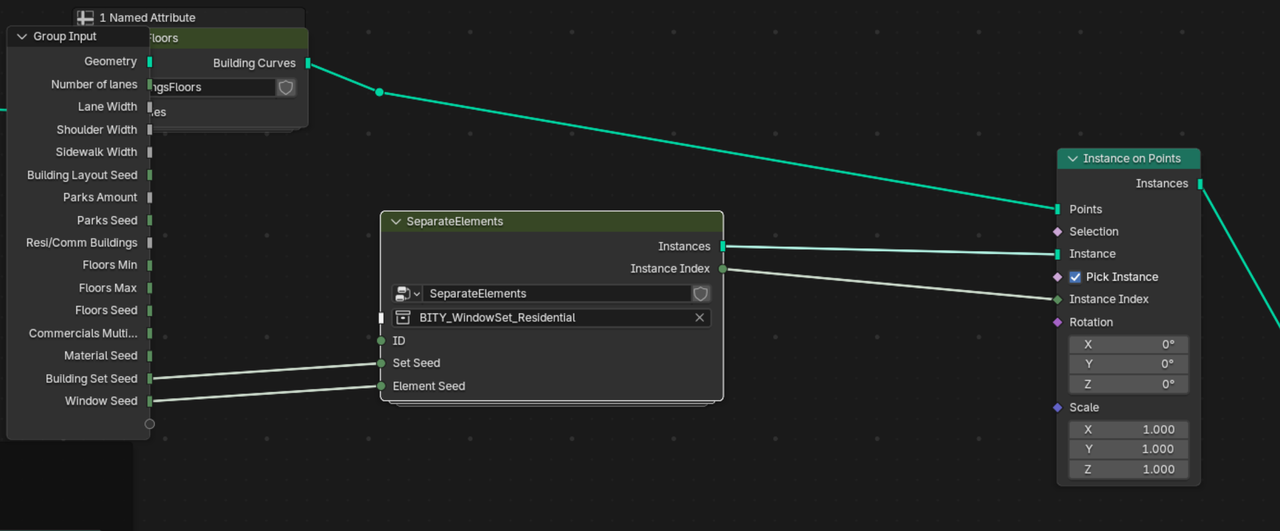
Anyway, the problem why your ID isn't working, is because there is nothing plugged into your ID:
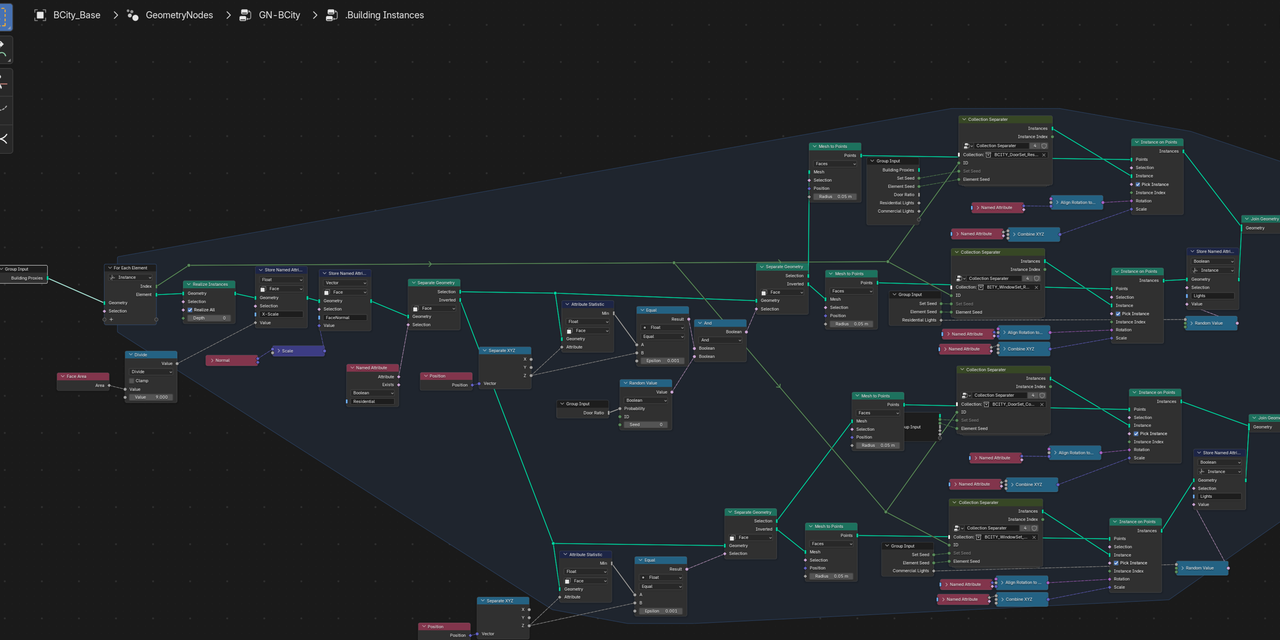
Not exactly sure where you are in the Course, but the ID comes from a For Each Element Node (this is from my .blend from the end of Chapter 5):
Everything inside your SeperateElements Group looks correct to me.
Thank you! I'm back on track now. I have added the Integer constant outside the Separate Elements group and everything now seems to be working. As you say, I'll feed the ID when I get to the part of the course dealing with the For Each Element.