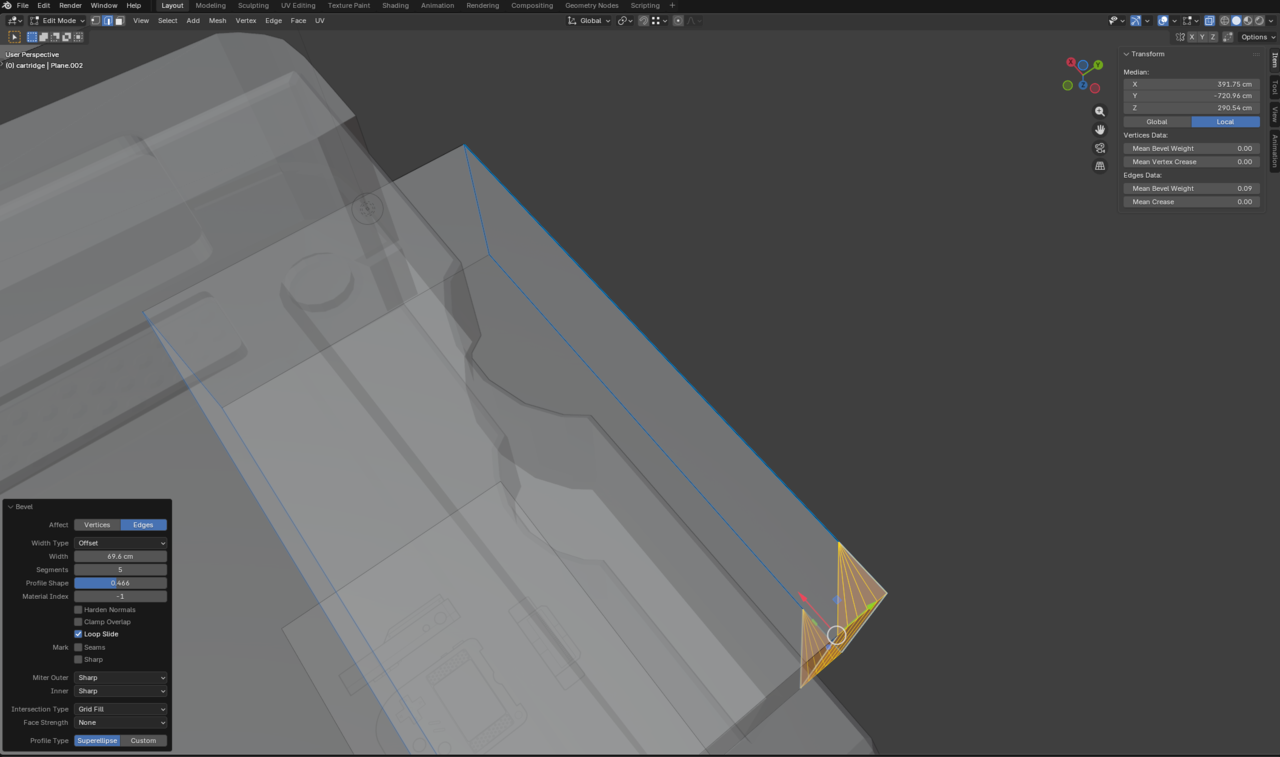
On the cartridge, instead of bevelling the corners and rounding them, the corners segment out but remain rectangular and loop on the sides as if doing the opposite and i am unsure how to reverse it to the correct way. Firstly, to even get it to segment out because every time I bevel anything it doesn't want to bevel and also changing the mean bevel does nothing, I have to go into x-ray mode and highlight select the corner for me to start bevelling but it doesn't do it correctly as I've described. Maybe it is because I am selecting an underlying edge and the other and they both bevel at the same time that this is happening, but I am not sure. Oh and now when bevelling it only wants to do it on the right corner even though I selected both.

Hi Ewan,
Hard to tell from your description alone (without any screenshots), but here are somethings you should check/do:
There might be so-called 'double Vertices' and/or inconsistent Normals.
Select everything (in Edit Mode) with A and then M > Merge >> By Distance, followed by SHIFT+N. (This is something you shoud=ld 'always' do, when things behave unexpectedly during Modeling.)
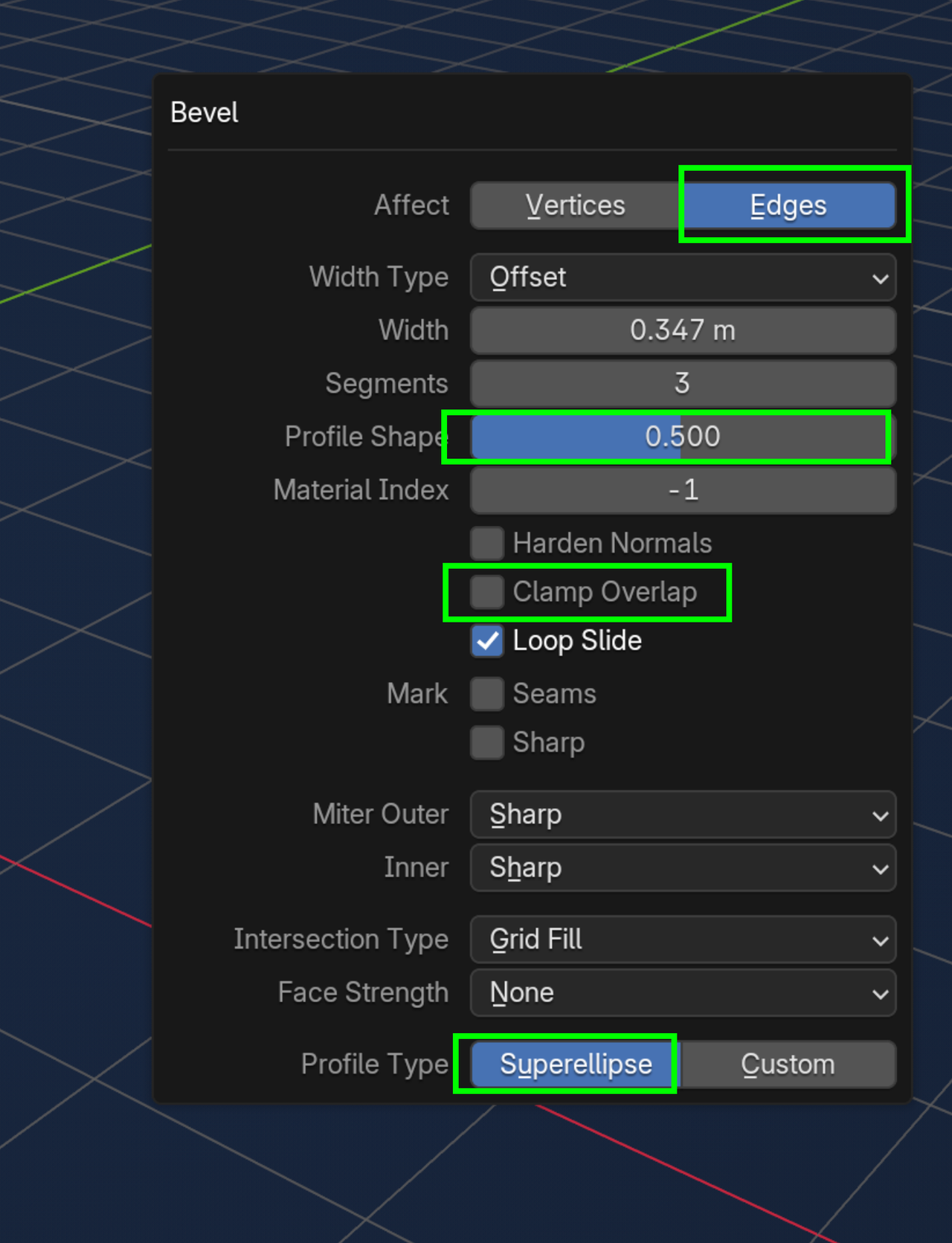
That might already fix it. If not, Make sure you're Beveling the Edges and not the Vertices and look at the Profile Shape (maybe even the Type):
Thank you so much! The merging helped the issue. It now bevels as normal. Also yes I had troubles figuring out how to submit a screenshot. Just now figured it out lol. This is what the problem had looked like.