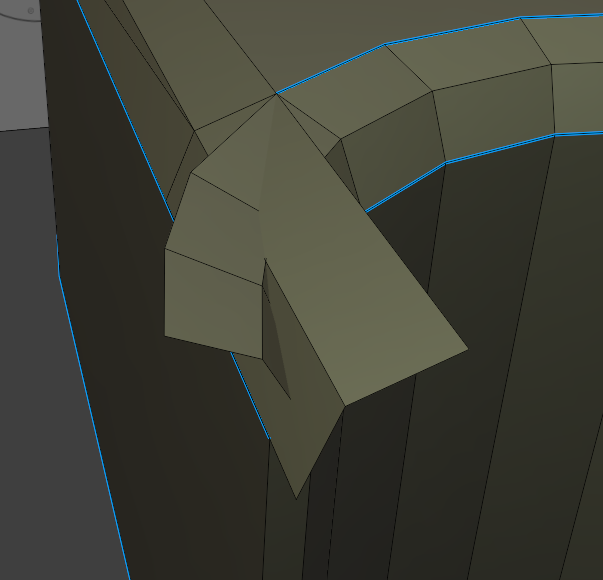
The acute angles at the bite edges didn't seem to be interacting with the bevel modifier like it does in the video, including cases where it would make parts of the main top face n-gon extend across the bites. Or, if enabling clamp, it would make the bevels be very small, due to the limits created by the bites.
Maybe it has to do with how the corners aren't sharp but blunted in how I did it? In any case the only way I could figure out was to apply the modifier and fix up the points directly:
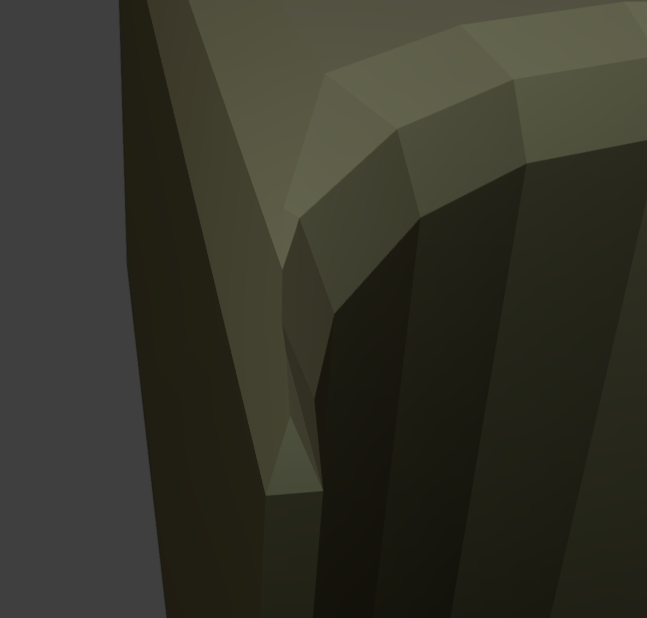
Tho the geometry ended up being pretty jank in a new way. The above one looks mostly okay but after a lot of fiddling I couldn't get the bottom edge looking right:
Baring some new approach my plan at this point is to just have the jank faces render with a matte material so as to imply a piece broke off the corner.
that kind of thing is common when doing bevels on tight places. If you used the bevel tool in edit mode, it's a matter of sorting it out by hand. I think there might be an option to not overshoot crossovers, but I could be wrong.
Really gets fun with text sometimes when a vertex goes shooting off into space on some fonts.

Yes,
You have 'meant too well' with the resolution of the rounded bites, but even just making the pointy bits can cause that issue, because of Vertices (Edges) being too close together; Bevel gets into difficulties, when Vertices get too close together (closer than the Bevel itself). In that case either the Bevel stops Beveling further (everywhere in the Model where it's used) when having clamp Overlap enabled, or some Vertices start 'crossing over eachother' (overlapping, you could say), when you have Clamp Overlap disabled.
Modifiers work on a whole model at once and don't have all the fine control you have, when doing the same thing manually for each point in the Mesh, in Edit Mode. But they are non-destructive, so you can tweak them at any point in the Modeling proces.
It's a balancing act. I hope you didn't think that Modeling is easy😉
I did figure out a better way than just tweaking the points that looks decent. Extend the patterns from the two sides. I figured there must be some tool to cut along intersections, and the knife tool does have an intersect mode that does exactly that. Delete the outside faces and fill the triangle gap at the end.