

I'm using Blender 5.0.0
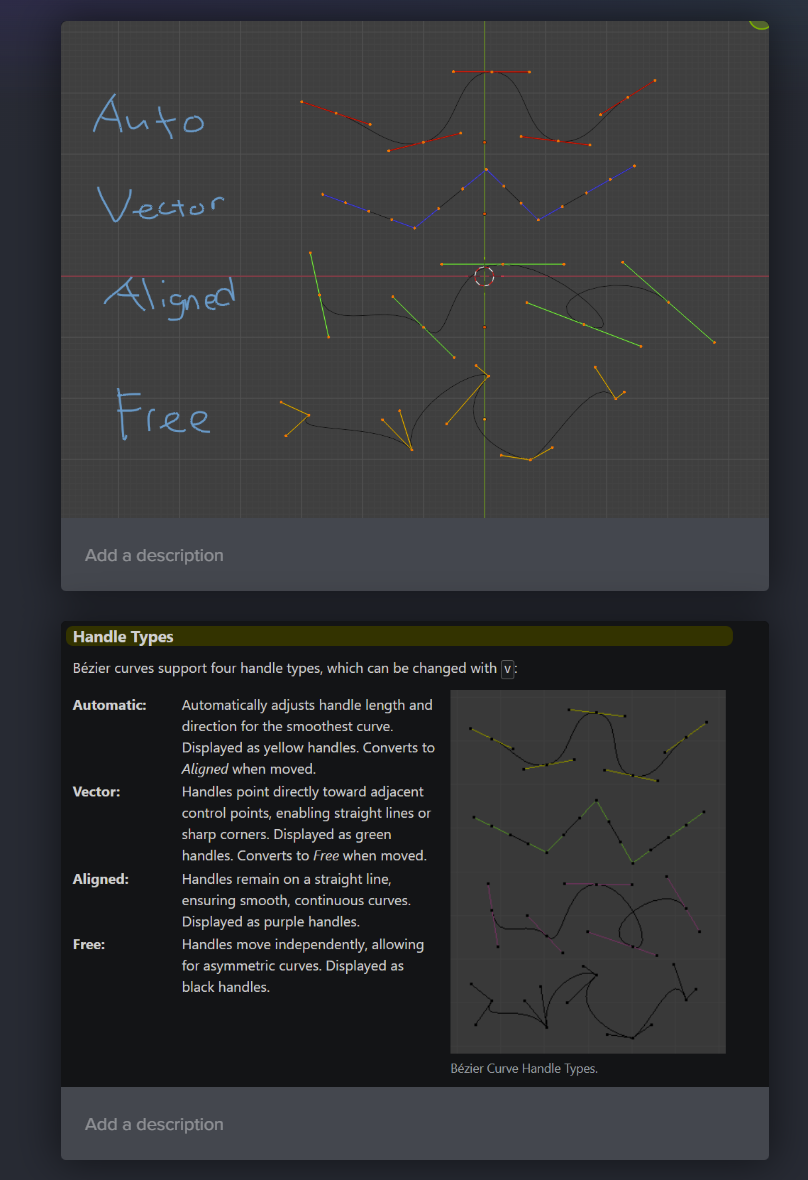
Hey all my handle type colors seem to be completely different than the video and the Blender 5.0 documentation. I haven't ever changed them.
Any reason why this might be?
Thank you

Could be something with the theme or a change that was made before release. My colors on 5.0 and 5.2 match yours. The important thing is that the reaction of the curves is consistent between what you have and what is shown in the image.
Could even be that the image, while still accurate in behavior, is actually from an older version of Blender that did use those colors for the handles.

I believe that is a theme change that hasn't or wasn't implemented. I don't think I've ever seen free handles as black.
Thank you for responding yall. Yes the curves act appropriately. The theme switch will make it a bit uncomfortable to follow along but ooh well.

Hi Jesse,
There has been some changes/improvements to the UI but often the documentation gets forgotten about.
That documentation image old. But as Grady pointed out, the functionality is exactly the same.
You don't need to memorise the colours or anything. You just need to understand that the different handles behave differently.
I'll get the documentation updated.
Oh, I don't know why I didn't mention this earlier, but you can actually change those colors to match if it makes it easier for you. Ctrl+comma or edit->Preferences or F4->Preferences to open preferences. Click on theme on the left hand side. Then in the list expand common then expand curves. Then just set the color you want for each handle type. In pre 5.0 curves' colors where by editor. So you would have to go into each editor and change them.

