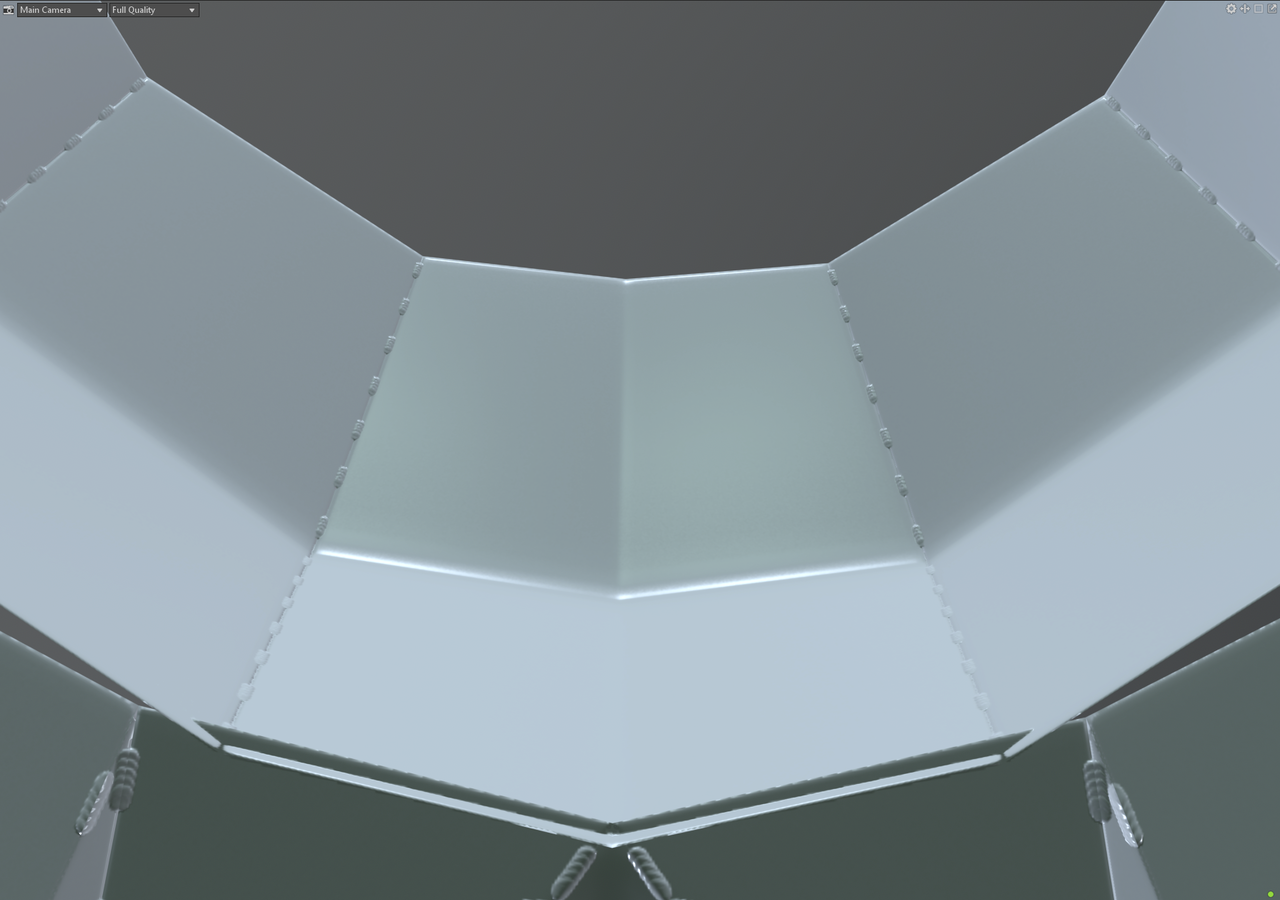
I recently had a project I was doing to get back into hardsurface, and wanted to bake out the LP normals, but noticed a strange artifact I cant explain. I have fixed many errors in the past, from bake issues caused by wrong uv maps, skew, or cage offset, using the tools that marmoset provides.
But this doesnt seem like any of it to me, so maybe some of you have ideas of what could cause this.
Images
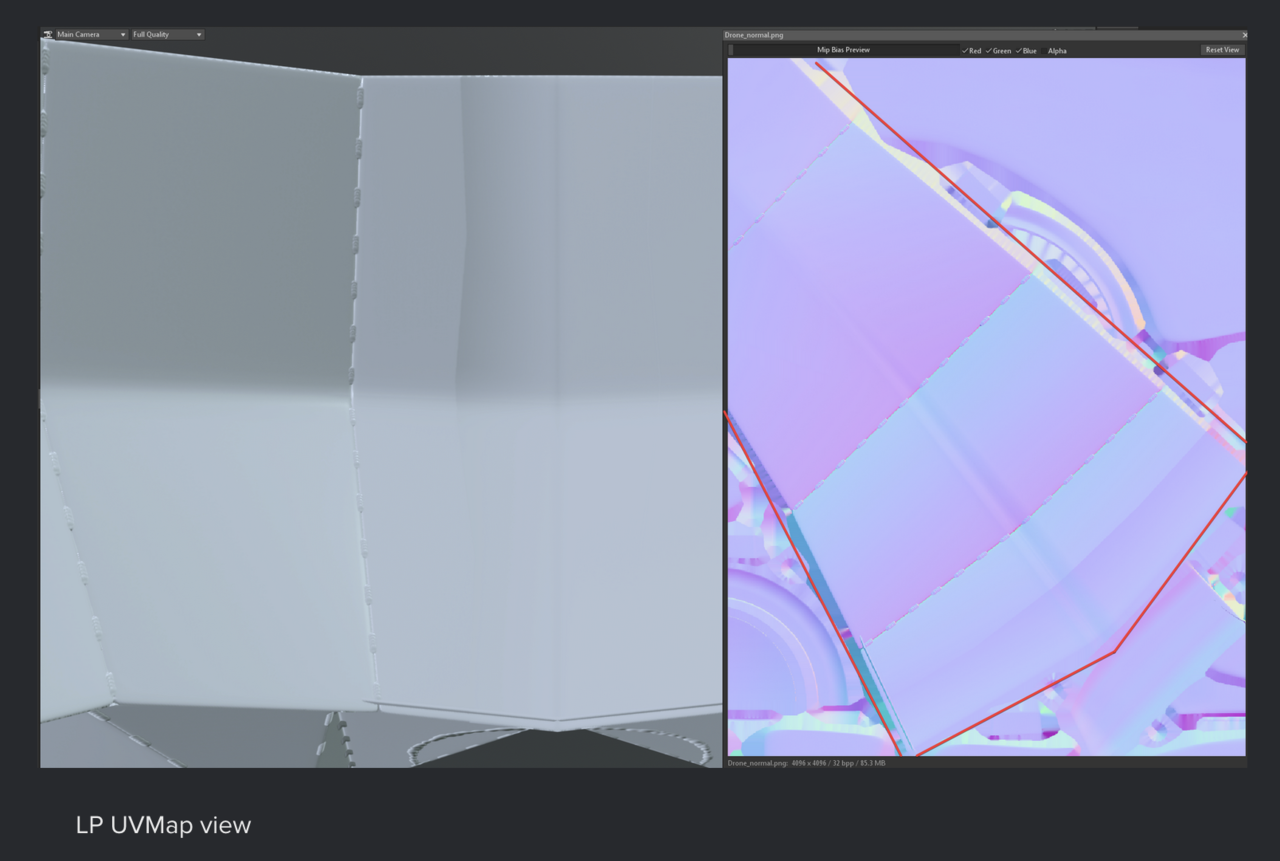
The lowpoly has a strange vertical shading defect that doesnt exist in the highpoly. I cant seem to find what this stems from.
It only shows up in the normal map, and nothing else, no AO, Curvature, etc. etc.
It is present, this is a mirrored object, so the defect is only visible in a half view in the map, but its the harsh line towards the end.
The image you screenshoted simply has a border drawn around it to show which object in the normal map it is.
I added a new image to the same imgur link, that highlights specifically that line in normal map too.

Hi Pascal,
Can you give us some more information, plaese?
Like did you model this in Blender and the Exported it to Marmoset for Baking?
If so, did you try Baking the Normals in Blender, to see if you get the same problem?
My guess is, that it's either something in the Model, or something with the Exporting, but it could of course be something else.
I modeled it in Blender, and used Marmoset for baking, since I generally like their bake engine.
That being said, I did now test baking it in Blender and it doesnt have that error in the normal map.
There are 5 panels total, and the last one has 1 more hard edge / division in the bake than it should when baked with marmoset.
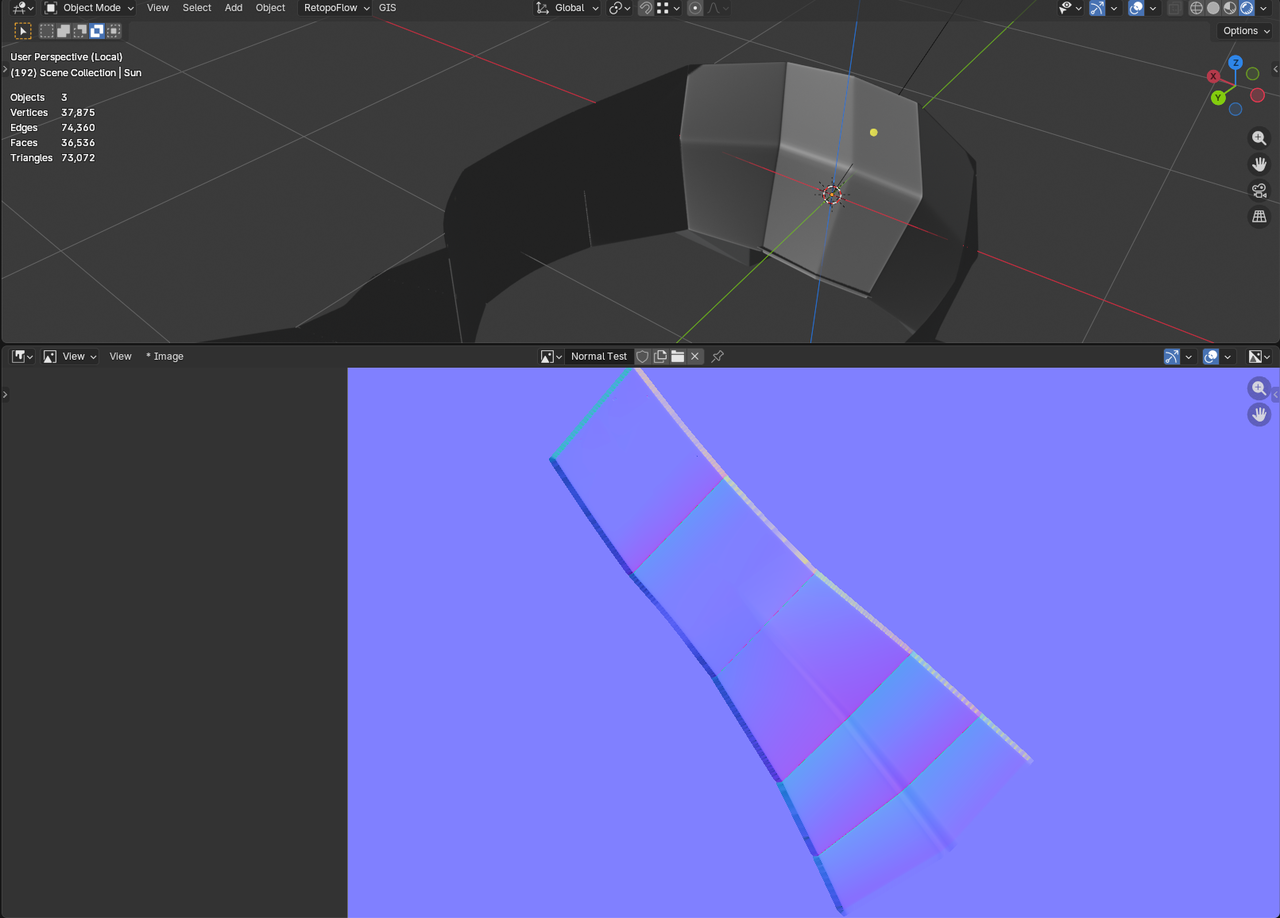
(PS, I just figured out how to add images to posts here haha)
In marmoset, there is no Cage / Skew issues that I can see (though I dont know why one half of the model doesnt have skew indicators).
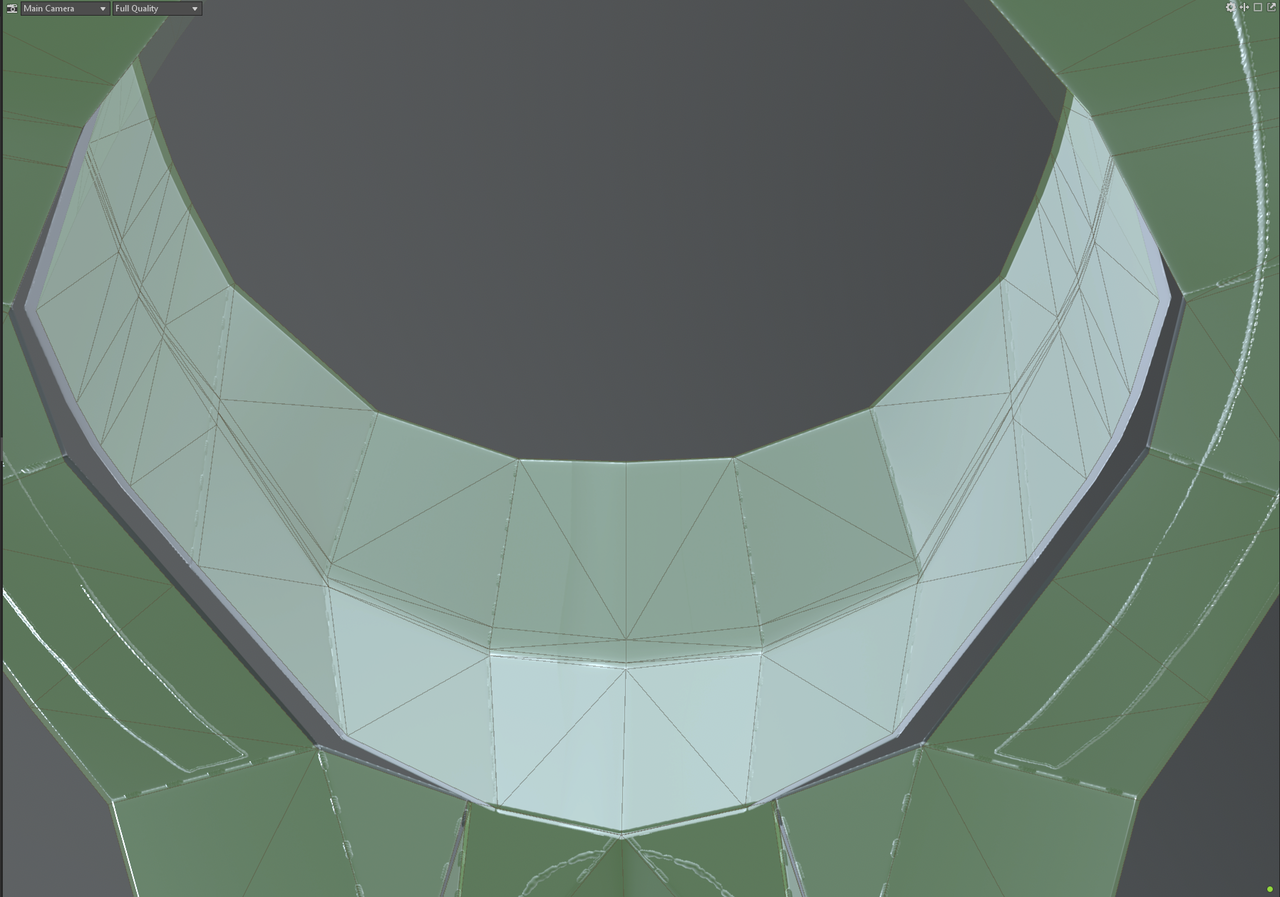
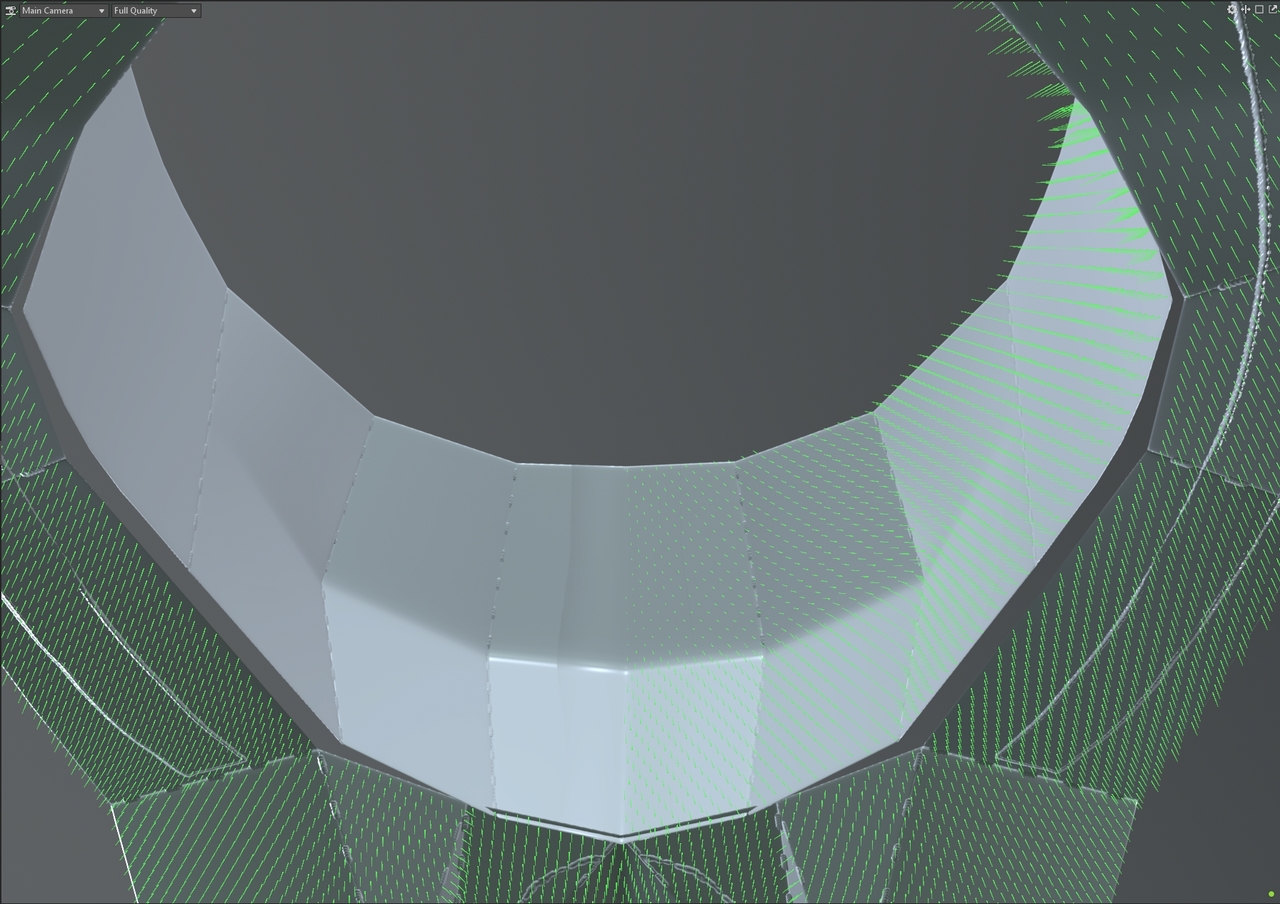
Well,
Import/Export between Software can come with problems, because different Programs describe models differently and parts may get lost 'in the translation'. So it's not that the Baking in Blender is better (the workflow is probably worse), but keeping it in the same program is often beneficial (this is especially true for Baking Normals).
Makes sense, I looked over the FBX data, and found out it just didnt export any 'sharp edge' data for some reason.
So despite the middle seam being marked as sharp in blender the baker from marmoset didnt know about it.
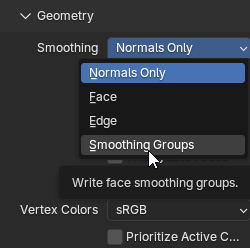
For some reason FBX exported changed its 'smoothing' to smoothing groups for that object, rather than Normals Only.
I have no idea how, since I exported multiple objects at one, and repeatedly but only one of them had different export settings each time...