
Image/UV's question

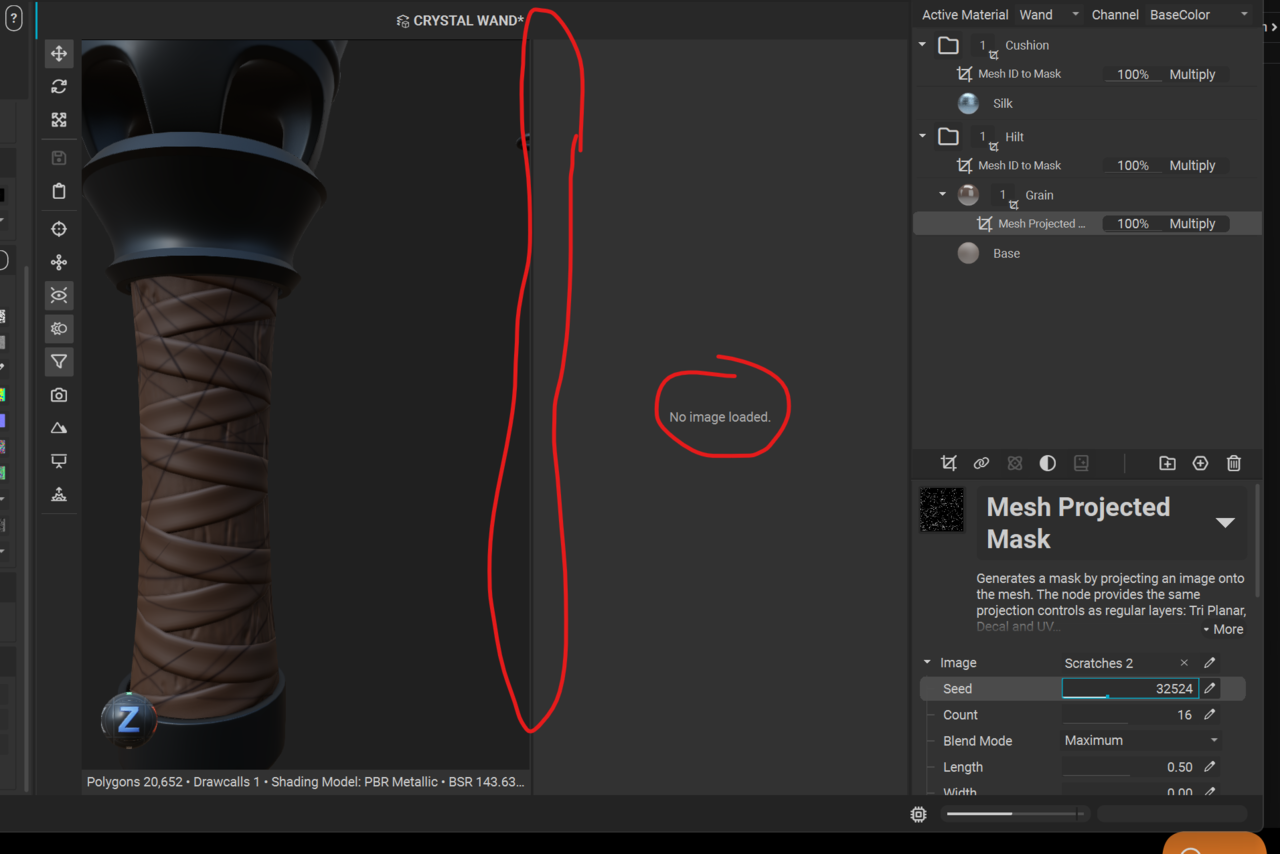
I'm following the tutorial but there was a cross dissolve when we got to adding the scratches 2 image for the wood grain. And in that cross dissolve, in the tutorial suddenly the silk and wood materials/images appear in the image window.  When I click the image icon to bring up that window, I'm met with "no image loaded" and I don't get the tools on the left sidebar of the image window as I see in the tutorial.  Any guidance would be greatly appreciated. :)nstaMAT question.png
1 love
Reply
  • Joe Hansen(Joe_Hansen) replied
    I realize it’s not a vital feature for tackling next steps and I’m able so far to move forward in the tutorial with no issues without being able to see my UV/materials in the image window.  InstaMAT is just brand new to me and I wanna make sure I’m not missing anything in the UI.  

    It’s been a lil quirky.  My AO shows up pure white when I click C to get to that view, but the minute I apply a material to anything and go back to AO view, I see all my delightful gray to white gradients as expected/desired (possibly a viewport glitch).  Also, all multilayer materials default to only the base color being activated by default until I click the lil paint can “fill” icons to activate things like roughness and AO.  I only just downloaded the software a couple days ago so I’m assuming I’m on the most updated version.  Anyway, just some quirky behavior in instaMAT, but it hasn’t caused me to run into any roadblocks as of yet.  Me just wanty learn. Lol 🤪
    1 love
  • Joe Hansen(Joe_Hansen) replied

    ... Right Click on the material folder and select "view composite output".  I gots it now.  Sorry I jumped the gun, but it was eventually mentioned for the leather straps 'cavity' part of the tutorial.  My apologies for jumping the gun with my question. :)

    • 🤘🏻
    • 👍
    1 love
  • Chunck Trafagander replied

    Not a problem! Thanks for updating the thread with the answer. 😁

    I feel the UX in viewing the images in the editor is a little wonky with InstaMAT, so I will agree that it's not immediately obvious why something isn't showing up. But this is a great thread now for anyone facing that same issue! Can't wait to see your final creation! 

    2 loves